Chances are you’ve already seen “Vercel v0” mentioned in a Twitter thread, a YouTube walkthrough, or a launch announcement, and you probably wondered if the hype holds up once you try it on something real. My take: it earns its place, but only if you go in with the right expectations. v0 is great at turning an idea into a working interface in minutes, and it’s much less impressive when asked to handle complicated logic or a large, tangled codebase.
Here’s what we’ll cover: what v0 is, what’s happening under the hood when you use it, how much it costs, and a few practical tips for getting output you’ll actually want to keep.
What Is Vercel v0?
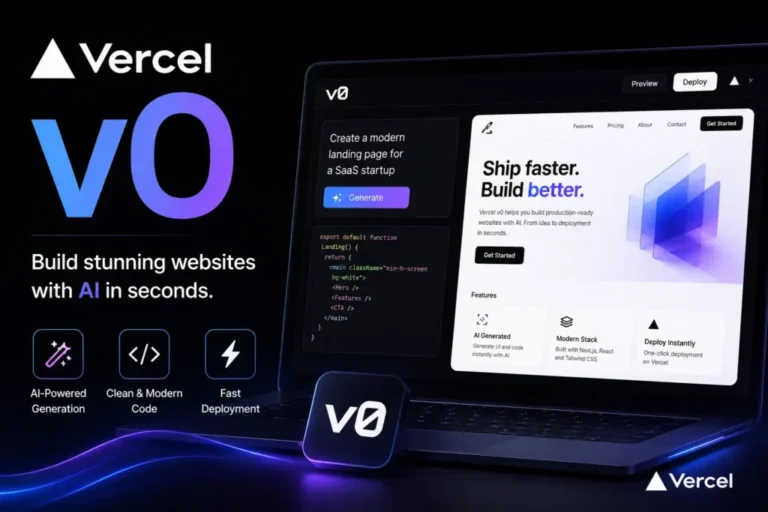
Vercel v0 is a web-based tool built by Vercel, the team that created Next.js. Instead of writing code from scratch, you simply type out what you’re after in everyday language, like “a pricing page with three plans and a switch between monthly and yearly billing,” and v0 hands back functioning code alongside a live preview you can interact with right away.
What it produces is largely React and Next.js, styled with Tailwind CSS and frequently assembled from shadcn/ui components. This is worth noting because those are the same tools many professional teams already rely on day to day. Nothing here is proprietary or boxed in: the code is clean and readable, and you’re free to tweak it or drop it straight into your own codebase.
Most people searching for vercel v0 want to know one of three things: what it is, whether it’s worth paying for, or how it compares with tools like Bolt and Lovable. We’ll cover all three.
How Vercel v0 Works in Practice
The workflow is simple:
- Sign in with a Vercel account (a paid plan isn’t required to start).
- Type a description of the page, component, or small app.
- Review the preview and ask for changes in follow-up messages.
- Deploy to Vercel in one click, or copy the code into your own repository.
There’s also a visual editing mode, so you can tweak spacing, text, and colors without writing another prompt. Paid plans add things like Figma imports and shared team credits.
What Vercel v0 Does Well
Speed on interface work. A dashboard layout, signup flow, or landing page that might take a few hours by hand can reach a decent first draft in minutes.
Clean, familiar code. Because it sticks to mainstream tools, a front-end developer can pick up the output without a learning curve.
Easy deployment. If you already host on Vercel, going from preview to live URL is nearly frictionless.
A realistic example: a freelancer needs a client demo by tomorrow. Instead of building from a blank file, they generate the layout in v0, adjust the copy and brand colors, and spend their time on the parts that need judgment.
Where It Falls Short
Be realistic about the limits.
- Backend depth varies. Reviewers consistently describe v0 as strongest on front-end work. Competitors like Bolt and Lovable lean harder into databases and backend features, so check what v0 currently supports before committing to a complex app.
- Credits run out. Vercel moved from unlimited messages to a credit system in 2025. Long back-and-forth sessions and complex generations use more credits than simple ones.
- First drafts aren’t final drafts. Generated code can have accessibility gaps, odd component structure, or styling you’d never write yourself. Someone should review it.
Vercel v0 Pricing: What to Expect
There’s a free plan with a small monthly credit allowance, enough to test the tool and build a few small things. Paid plans generally start around $20 to $30 per user per month, with higher tiers for businesses and custom enterprise deals. Extra credits can be bought once you pass your monthly limit.
Plan names and prices have shifted several times, and third-party sites don’t agree with each other. Check Vercel’s official pricing page before you buy.
Tips for Getting Better Results
- Be specific. “A SaaS homepage” gets you something generic. “A homepage for a invoicing tool aimed at freelancers, with a hero, three feature blocks, and a testimonial row” gets you something usable.
- Build in small steps. Generate one section, fix it, then move on. Large requests burn credits and produce messier code.
- Name your constraints. Mention colors, fonts, or layout rules up front.
- Read the code before shipping. Treat it like a pull request from a new teammate.
Is Vercel v0 Worth Using?
For designers, founders, and developers who need good-looking React interfaces quickly, vercel v0 earns its place. It’s a fast way to get from idea to a working front end, especially if you’re already in the Vercel and Next.js world.
It won’t replace a developer, and it isn’t the best fit if your project is mostly backend logic. Start with the free plan, build one real page, and see whether the code fits how you work. That test will tell you more than any comparison article.