Okay so here’s the thing. I was skeptical about these tools for a long time. Genuinely thought they were a gimmick — like those Snapchat filters that turn you into a baby, fun for ten seconds and then forgotten. Then my sister used one to make invitations for her daughter’s birthday party, and I had to eat my words a little. The cartoon version of her dog, sitting on a cake, actually looked good.
So what is a cartoon image generator, exactly? Simple version: you give it a photo, or just describe something in words, and it draws that for you. Comic panels, anime faces, that soft rounded animation-studio look — pick your flavor. You upload, you wait, you get art. No pencil required, no art degree, none of that.
Why This Isn’t Just a Toy Anymore
I used to think of these as novelty apps.But look at who’s actually using them every day, and it’s a different story.
Small shop owners use them so their product photos don’t blend into every other listing on Etsy or Amazon. A teacher friend of mine uses one just so she doesn’t have to worry about copyright when she’s making worksheets. . YouTubers and streamers build a consistent cartoon avatar they can reuse across thumbnails instead of hiring someone every single time. Even real estate agents have started using illustrated versions of listing photos in social posts, believe it or not — it catches the eye in a feed full of identical staged interiors.
The pull, if I had to name one thing, is speed combined with not spending a fortune. A freelance illustrator doing custom work will usually charge somewhere between $50 and a few hundred bucks and take days to deliver. These tools do it in under a minute. Is it as good? Not always. Is it good enough for a huge chunk of what people need? Usually, yeah.
How It Works, Roughly Speaking
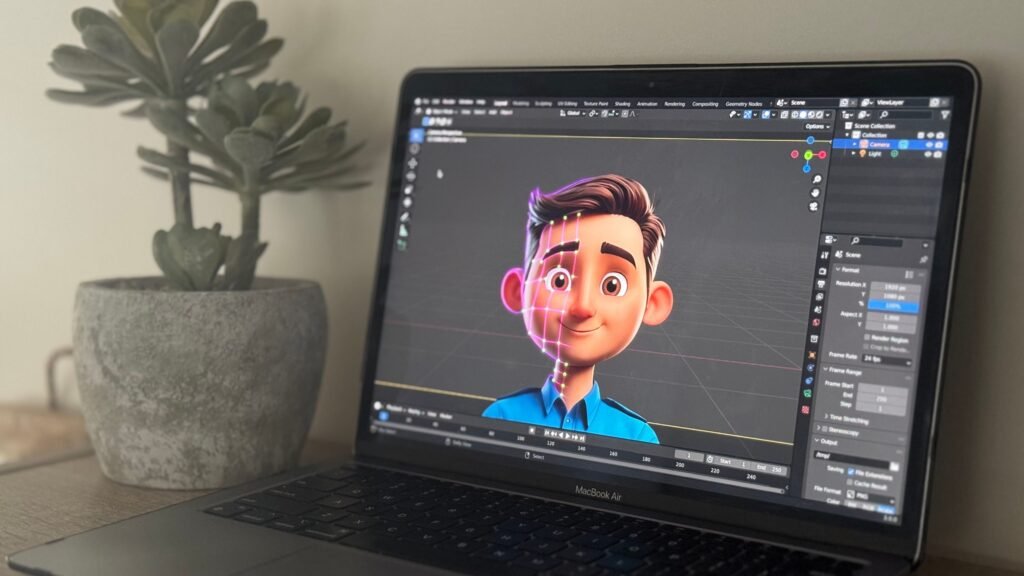
Without getting too technical — these tools are trained on huge collections of existing art in different styles. When you feed in a photo, the software studies your face, your lighting, the shapes in the image, then rebuilds the whole thing using the visual logic of whatever style you picked.
Text-only versions skip the photo entirely. Type “a grumpy cat wearing a wizard hat, storybook illustration style” and it builds that from scratch, pulling from everything it’s learned about how storybook art tends to look.
Where These Tools Trip Up (Because They Do)
I’ve run the same test photo through probably ten different apps at this point, and a few problems keep repeating.
Side angles ruin faces more often than not. Straight-on portraits usually come out clean. The moment someone’s turned even slightly, features start warping — eyes drift, jaw shape gets strange. Worth a close look before you use anything publicly.
“20 styles” often means five real styles and fifteen color variations. I fell for this more than once. Test the same image across several before deciding one is your favorite.
Free downloads are often low-res and nobody tells you upfront. Fine for a social post, useless for printing. Check before you commit to using it for something physical.
Getting Decent Results, Practically Speaking
A little effort on your end changes the output a lot:
- Use bright, front-facing photos — angled shots confuse most tools
- Keep backgrounds simple; busy scenes throw off the whole conversion
- Test the same photo in three or four styles minimum before choosing
- Be specific in text prompts — mood, setting, lighting, not just “a cartoon of a man”
- Always grab the biggest file size the platform offers, even if you don’t need it yet
Don’t Skip the Fine Print on Usage Rights
This one bites people constantly. Not every platform lets you use the output commercially, even on a paid plan — some licenses are personal-use only unless you’re on a specific tier.If you’re planning to use it commercially, on a product or an ad, do yourself a favor and check the license first. . I skipped this step once and paid for it later — five minutes of reading would’ve saved me the trouble.
Bottom Line
For detailed branding work or a very specific creative vision, a human artist still wins that fight. But for quick, fun, shareable visuals — party invites, social avatars, product shots that don’t look like everyone else’s? And a cartoon image generator does that job fast — which, for most people, is really the whole point. I’d try at least two or three before picking a favorite — I was surprised how different the results actually were.